
I went hands-on with the new Fire TV Stick 4K Select and the new Vega OS is a sidegrade and not the upgrade Amazon needed
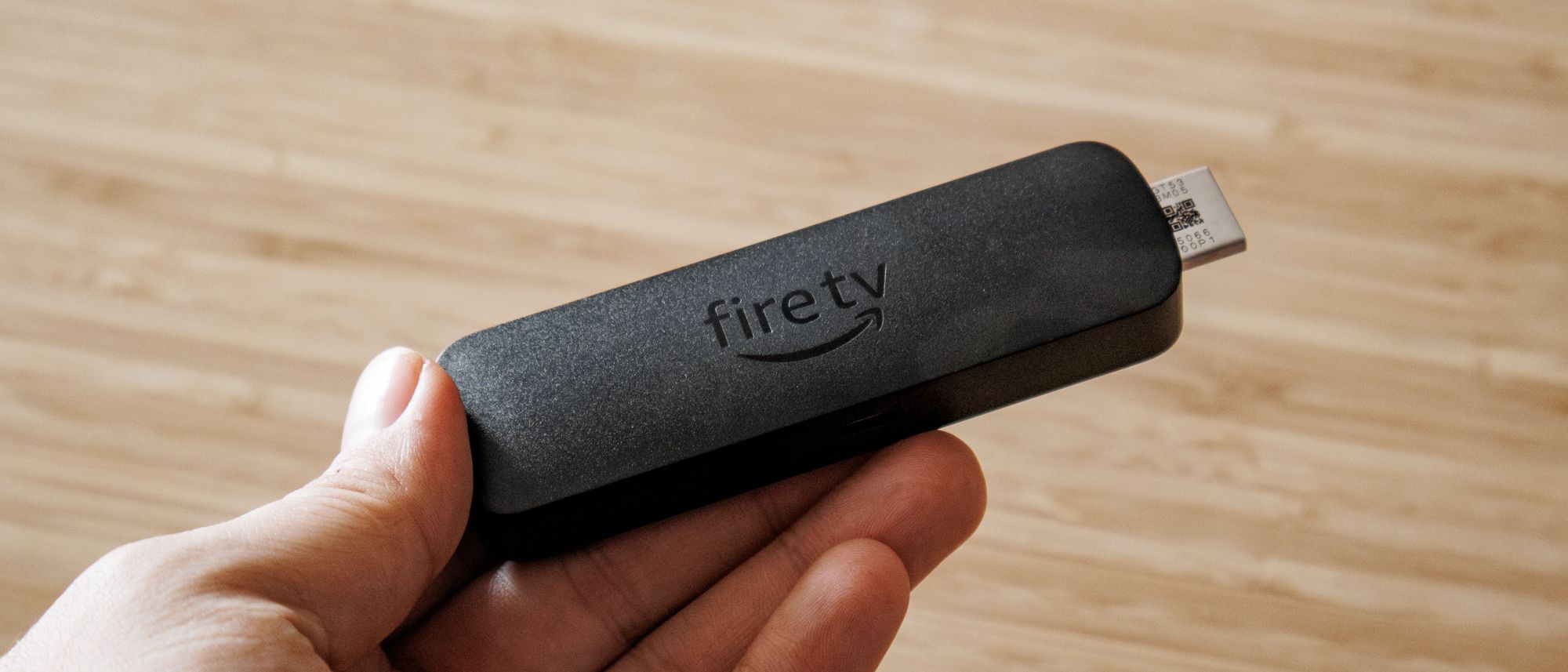
The Amazon Fire TV Stick 4K Select is a tale told in two parts. Although it offers snappy navigation and 4K HDR visuals that would suit most buyers looking to get one of the best streaming devices, it’s built on a brand-new Linux-based operating system, called Vega OS, which feels like it’s still in active development rather than a fully finished product.
What’s good about it is that you get access to many of the best streaming services with HDR10+ support and Alexa Plus AI baked in. Out of the box, the Fire TV Stick 4K Select looks and runs identically to the regular Fire TV experience, with smooth search functionality and bespoke AI capabilities across smart home and content curation.
Fire TV Stick 4K Select review: Price and availability
The Fire TV Stick 4K Select was announced on September 30 and released on October 15, 2025. It launched at $39, which is $20 less than the Fire TV 4K Max and just $10 more than the Fire TV 4K Plus.
The Fire TV Stick Select attempts to hold the middle ground for value-conscious buyers and those who expect some premium features, but it’s missing much of what makes the Fire TV Stick Max such a great value. Without Dolby Vision or Dolby Atmos support, and higher-speed Wi-Fi protocols like Wi-Fi 6 and Wi-Fi 6e, it makes a few too many trade-offs.
In terms of the competition, the Fire TV Stick 4K Select is nearly identical in specs and price to the new Roku Streaming Stick Plus, which similarly offers 4K and HDR10+ support. However, the Roku Streaming Stick Plus is currently $29 at the time of writing, which makes it an overall better value.
Fire TV Stick 4K Select review: Design
Amazon has kept the design of most of its Fire TV sticks nearly identical, a trend that continues for the new 4K Select. In fact, if you put the 4K Max, 4K Select, and 4K Plus all side-by-side, you wouldn’t be able to tell them apart. They’re all built on a rectangular design with a somewhat bulky frame and a black matte finish.

The Fire TV Stick 4K Select just has a Micro-USB input for power and a male HDMI connector. I dislike that the stick still uses Micro-USB as opposed to the more common USB-C port found on many newer devices. It’s not a major blunder, but it would be nice to have the more advanced input for additional connectivity options.

The streaming stick also comes with an HDMI extension cord, which makes it effortless to place in tighter spaces behind a TV. It’s a great addition and feels like the one spot in which the Amazon Fire TV Streaming Stick Select out-values Roku. You also get a Fire TV remote that’s lightweight and just a bit larger than the streaming stick itself.

I’m a fan of the Fire TV remote, even if it’s a bit rudimentary. It has a button to talk to Alexa+ at the top, and is equipped with four main quick-access buttons to Netflix, Peacock, Prime Video, and Disney Plus. You also have a simple volume rocker smack dab in the middle of the device. I love this design, but if I were to add anything to it, it would have to be backlit buttons. That would make the Fire TV remote perfect in my book.
Fire TV Stick 4K Select review: Setup
Setting up the Fire TV Stick 4K Select was relatively simple, although I encountered one minor issue immediately after turning it on: During the setup process, the Select needed to download the latest software to proceed, but it was getting stuck for longer than necessary. (If this happens to you, all you have to do is unplug the 4K Select from the power for a few seconds, which worked for me.)

Beyond this minor issue, setup is straightforward. You can sign in using the remote or a QR code, which is the easiest method. After that, the Select saves your Wi-Fi, and you can choose various other settings, like child protection services, if you want them. You can also apply audio settings depending on your setup, but since I’m not using a soundbar or an AV receiver, I chose the TV audio output option.
The whole process took no more than 20 minutes, even with the minor updating snafu. However, I wish the Fire TV Select allowed you to automatically download your favorite apps from the get-go to streamline the whole process, similar to Google TV and Tizen OS. That way, you don’t have to wait after everything is finished downloading and installing during initial setup before jumping into whatever you want to watch.
Fire TV Select review: Performance and interface
The Fire TV Stick 4K Select looks and operates identically to its predecessors despite axing Android in favor of Vega OS. The Fire TV experience is basically the same with no variances in the general interface, and it ran smooth as silk for me with no major hindrances.

Movies and shows look great, too. While it is rated up to 4K, the Fire TV Stick 4K Select can still be used with 1080p and 720p TVs, though I wouldn’t recommend it. I paired the streaming stick with a Samsung S90D OLED TV, which was particularly suitable as it only supports HDR10+, not Dolby Vision — just like the 4K Select.

Everything from “Star Wars: Visions” to “Sinners” looks incredible on the device. In terms of picture performance and navigation, I have no complaints. The stick and Fire OS are responsive, run as intended, and additional search functionalities through Alexa+ make it even easier to use.

This is one of the key features that the Fire TV Stick 4K Select has over its competitors: next-level AI controls that extend beyond search and wallpaper generation. With Alexa+, you can jump to specific scenes in movies when using Prime Video, which is neat but not the most practical feature.

Despite these bright spots, the 4K Select’s Vega OS isn’t without some issues: It’s susceptible to network hindrances, which can persist quite a bit on this device. Due to this, it feels more like a proof-of-concept at this point rather than a full release when it comes to app integration and other assorted features.

Another major problem is Vega OS’s reliance on cloud-hosted apps. Anytime you want to watch something from these services, the Fire TV Select has to retrieve it from the cloud. This can make load times slower if you suddenly encounter a dip in network performance, which you wouldn’t experience if the device had enough built-in storage.

You also can’t sideload apps on the 4K Select like you can on the Fire TV 4K Plus and Fire TV 4K Max. This means you won’t be able to add your own apps to the device and are stuck with whatever is available in the store, which again are either cloud-hosted or missing entirely, such as select VPN services.

This was a major issue for the 4K Select at launch, and while it has been rectified, only two VPNs are available right now, including NordVPN and IPVanish. You also can’t even access gaming services as advertised, like Xbox Game Pass. I tried using the service, and in its current state, it won’t work correctly. (We’ve reached out to Amazon for clarity on this issue, and we’ll update this review when we hear back.)
Fire TV Stick 4K Select review: Verdict
For $40, the Fire TV 4K Streaming Stick Select delivers 4K visuals with HDR10+, and its snappy interface and improved search functionality make it slightly above average in a cutthroat market. However, its minimal extras, such as Wi-Fi 5 and Bluetooth 5.0, and lack of Dolby Vision and Dolby Atmos make it hard to recommend compared to the competition.
Vega OS also remains in its infancy. Although it ran smoothly for me and operated fine for the most part, the same might not be true for every user. It’s also only equipped with 1GB of RAM and 8GB of internal storage, which doesn’t feel adequate for a $40 device.
If you’re not wedded to the Amazon Fire TV ecosystem, I’d recommend checking out Roku OS devices like the Roku Streaming Stick Plus or even the Roku Streaming Stick 4K, which are just $29, and the latter even offers Dolby Vision support.
However, if you’re an Alexa fan user and want to stick with Amazon’s family of devices, the Fire TV 4K Streaming Stick Select isn’t the worst option… It’s just outshined by its lower- and higher-priced stablemates, the Fire TV Stick HD and Fire TV Stick Max.
Source link
